Note: It is not a good idea to share a large catalog database over a slow network. We recommend using a file sync solution (like iCloud Drive) and keeping the catalog database on a local drive.
DiskCatalogMaker supports “shared catalog file access via AppleShare file server / AFP.” You can read a file from two (or more) Macs via AFP, but only one Mac at a time can write to it. Please wait until the other Mac has finished.
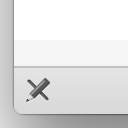
DiskCatalogMaker will lock your catalog file when the file is modified (if the modification is not saved). DiskCatalogMaker on the other Mac shows that the catalog is locked (read-only mode). (A read-only icon appears at the bottom of the catalog window.)
DiskCatalogMaker will unlock your catalog file when the modification is saved. (To save the file, please select “Save” from the File menu.) DiskCatalogMaker on the other Mac reloads the catalog file and refreshes the catalog window.
Please don’t access the file using protocols other than AFP, and don’t access the file directly on the server. To share the catalog file using a non-AFP protocol, place the catalog file on the server in read-only mode. If the catalog is modified from two Macs over a non-AFP protocol, it will be damaged.
You can also use the SMB file sharing feature of macOS. However, please be aware that some third-party SMB servers do not support file locking. We recommend that you back up your catalog file regularly in case it becomes corrupted.
See also:
Where is my catalog data?